

MEGA Hopex
MEGA HOPEX (now integrated or branded under Bizzdesign Hopex) is a leading platform for Enterprise Architecture (EA) and Governance, Risk, and Compliance (GRC). It connects business strategy, IT infrastructure, data governance, and risk management into a unified single source of truth.
If your organization maintains its data models in MEGA HOPEX, you can import them into a Hackolade Studio Polyglot model instead of recreating them by hand. From the Polyglot model, you can then derive the physical models of your targets.
MEGA logical models stored in .xmg files
Hackolade Studio reads the XML exchange files exported from MEGA HOPEX, with the .xmg extension, and imports their logical layer.
Inside MEGA files, the different objects are mapped to equivalent objects in a Hackolade Studio model, mainly:
- packages, mapped to containers;
- classes, mapped to entities, with their technical names and descriptions;
- attributes and their data types (with length, precision and scale where applicable), technical names, descriptions and default values;
- constraints: required, unique keys, (composite) primary keys, and relationships with their cardinality and verbs.
Some transformations occur, and extraneous information is ignored. When the export contains names in several languages, Hackolade Studio imports the English name.
Hackolade Studio converts MEGA data types to the equivalent Polyglot types. When an attribute has no data type in the export, or a type that cannot be mapped, it gets the default data type, and a warning in the log names the attribute.
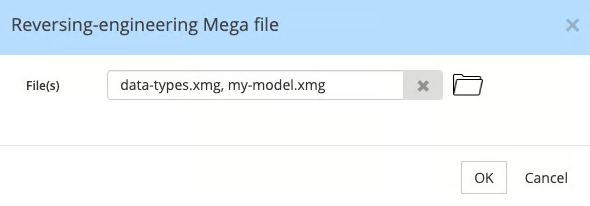
To import a MEGA model from the GUI application, first create a Polyglot model. Then go to Tools > Reverse-Engineer > MEGA Files... You may select one or Mega files to import in your open Hackolade Studio data model, including the definition file of your data types when your model uses them:
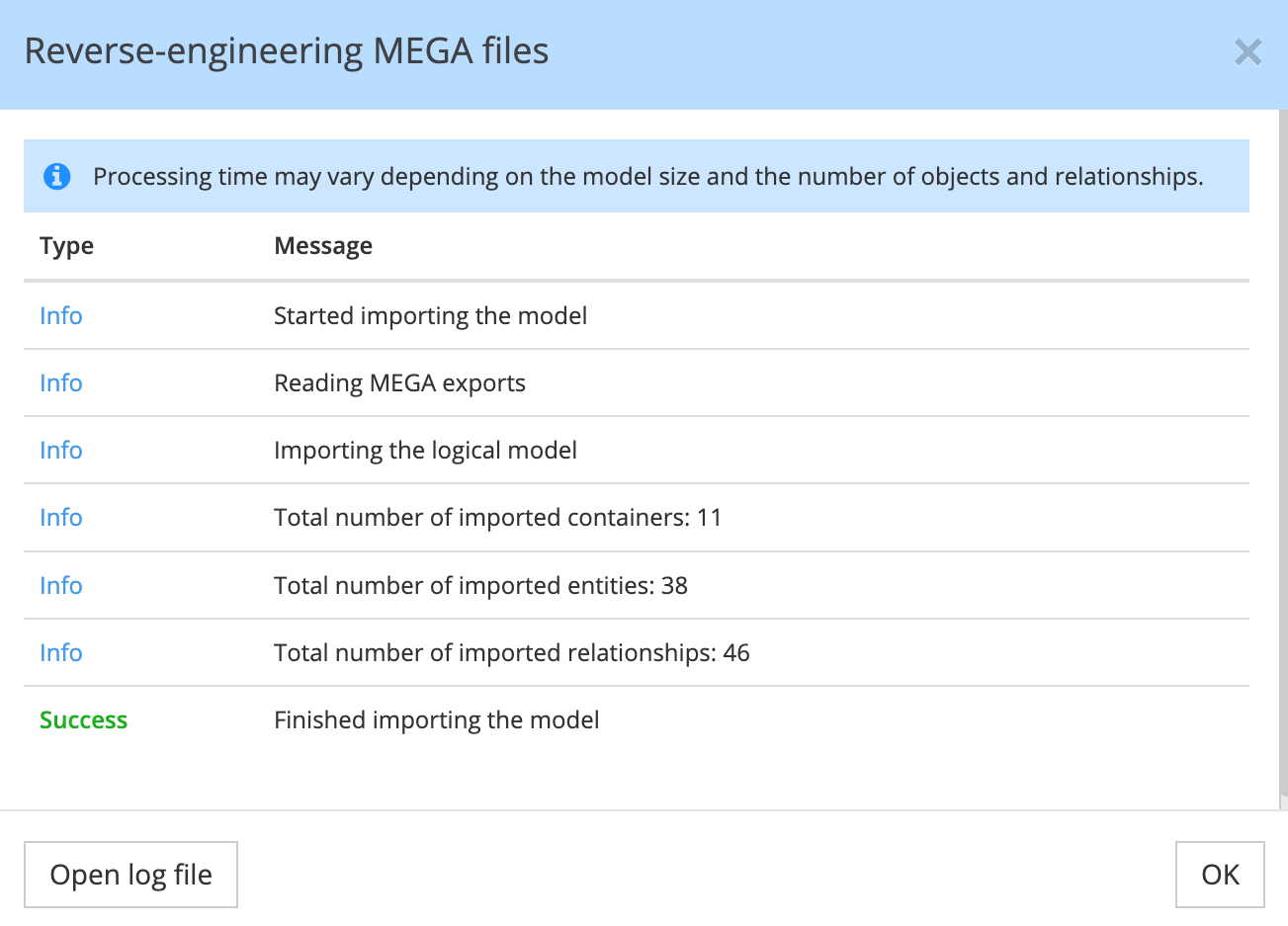
At the end of the import, the dialog window shows the number of containers, entities, and relationships added to the model, including possible warnings. Click Open log file to read the full list. Each warning starts with the path of the attribute (container, entity and attribute) and its MEGA ID, then gives the reason: the export states no data type for the attribute, or its MEGA type is not mapped to a type of the target.
User-defined data types
In MEGA, you can define your own data types and use them on attributes. These definitions are usually exported in a separate .xmg file.
When you select this definition file together with the model file, Hackolade Studio replaces each user-defined type with the data type it is based on, and converts it like any other MEGA type. If you do not select it, the log shows a warning such as MEGA type "<type name>" is not mapped to a type of the target for each attribute concerned, and the attribute gets the default data type.
Known limitations
Currently, the following MEGA concepts are not imported:
- generalizations (supertypes and subtypes);
- abstract classes and classes used as stereotypes, together with the associations that point to them;
- the physical layer: databases, tables, columns and indexes.
The reverse-engineer currently works in Polyglot models only. Support for Db2 for z/OS is coming soon. We enable reverse-engineering target by target: if you need one not yet supported, please contact support@hackolade.com.
Bulk import
Using the Command-Line Interface, you can orchestrate a batch import of MEGA files into Hackolade Studio models, with the command revEngDiagram. The command takes one file at a time; support for the definition file of your data types is coming soon.