Bizzdesign EA integration
Bizzdesign is the recognized leader in Enterprise Architecture modeling. It is well known for the co-development of ArchiMate, an open and independent enterprise architecture modeling language to support the description, analysis and visualization of architecture within and across business domains in an unambiguous way.
Hackolade has partnered with Bizzdesign to create an integration allowing Hackolade Studio data model files to be read into ArchiMate applicationdata objects.
Archimate data objects file generation
With v8.3.0, we released the generation of Archimate files with data objects according to the Archimate 3.1 specification, as well as according to the Open Exchange format. See this page for more details. The Open Exchange format can be easily imported into Bizzdesign Horizzon, following these instructions.
Import an Open Exchange format ArchiMate file into Bizzdesign
This section explains how to import an ArchiMate model generated by Hackolade Studio into Bizzdesign Enterprise Studio, using the ArchiMate Open Exchange format. It assumes you are already familiar with Bizzdesign and have access to Enterprise Studio.
After running through this procedure, you will be able to visualize and explore, inside Bizzdesign Horizzon, application data objects (and relationships) exported (forward-engineered) from Hackolade Studio, including their properties, even if custom.
Export Open Exchange format file
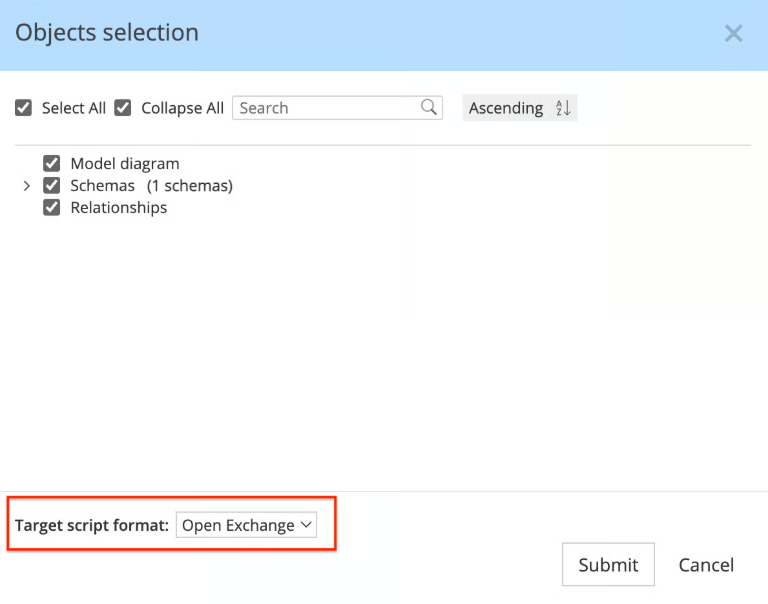
In Hackolade Studio, for the model that you wish to export to Bizzdesign, go to Tools W Forward-Engineer > ArchiMate Model... Make sure to select the relevant entities and select the format "Open Exchange", as the ArchiMate format is not currently supported by Bizzdesign.
Upload Open Exchange file to your Bizzdesign Enterprise Studio VM
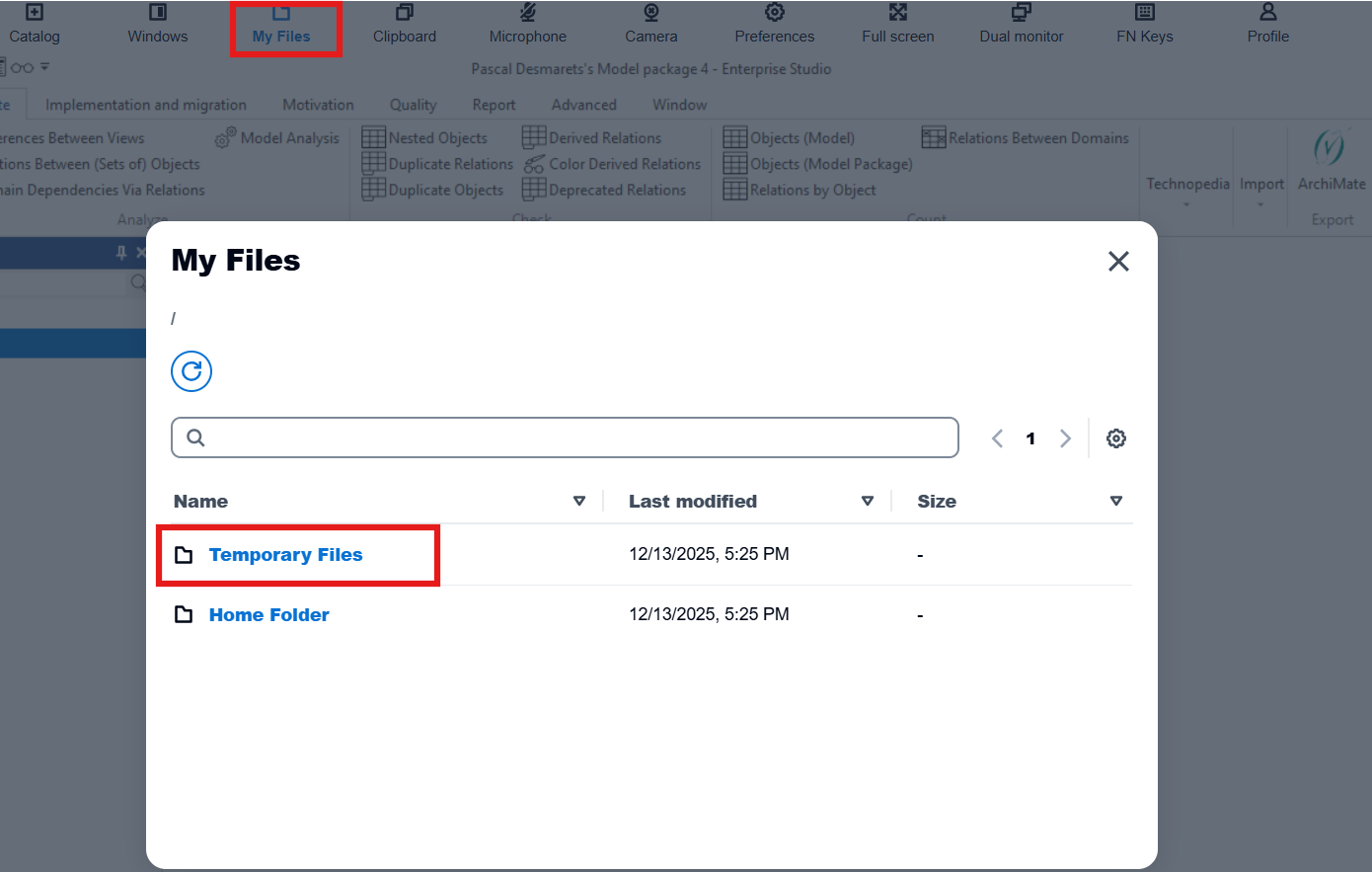
Click on the My Files button in the top bar, then select the location where you wish to store the Open Exchange file:
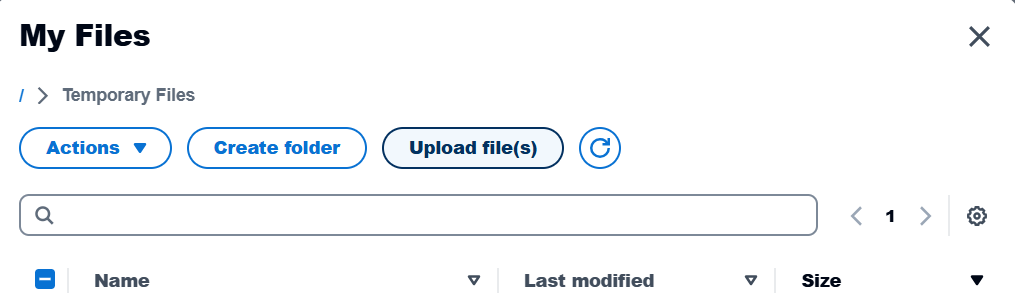
Then click the Upload file(s) button:
Create an empty ArchiMate model
In Bizzdesign Horizzon, start the Enterprise Surio Online, and make sure to enable the Expert mode in the top right hand corner of the Enterprise Sudio window.
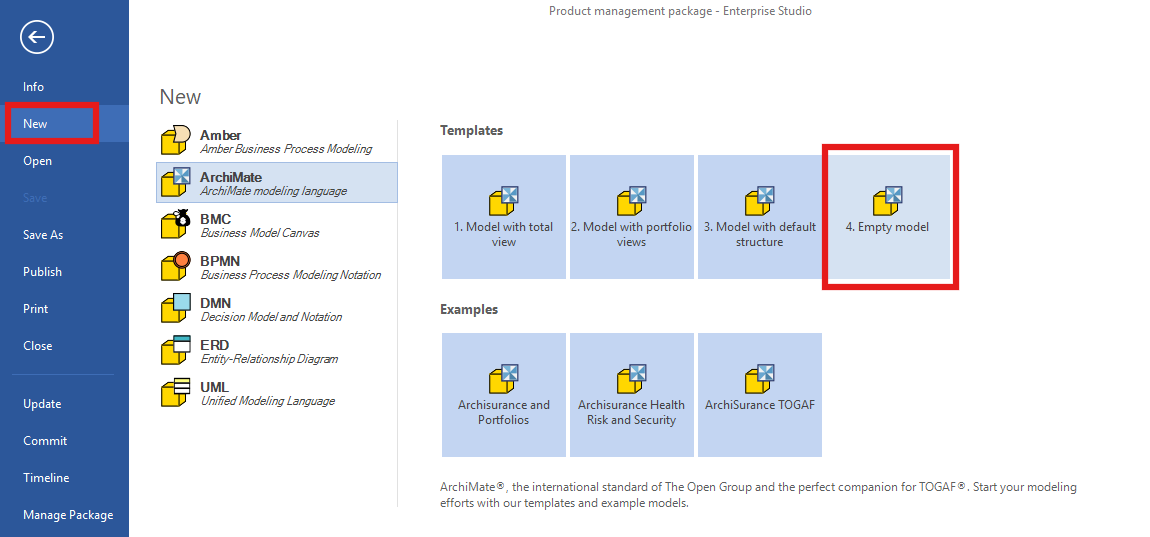
The create a new package with an empty ArchiMate model by selecting File > New > 4. Empty model
Alternatively, if you want to import the Open Exchange file into an existing package, slect the Model Browser tab at the bottom of the Model Browser, then right-cllick the package and choose New > ArchiMate Model > 4. Empty model
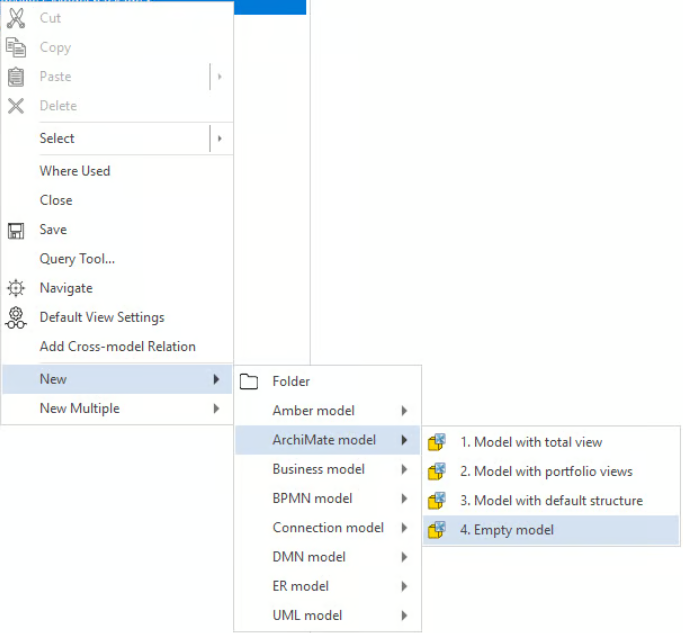
In either case, the action creates an empty ArchiMate model ready to receive the Open Exchange file content.
Import ArchiMate file
Select the newly created ArchiMate model in the Model Browser. It's important that the ArchiMate model has the focus in the Model Browser.
Go to the ArchiMate tab in the top ribbon. If you don't see a ribbon, make sure to enable Expert mode.
Click Import > ArchiMate

Explore the imported ArchiMate model
After the import completes, the ArchiMate model is populated with the content generated from the Hackolade Studio data model.
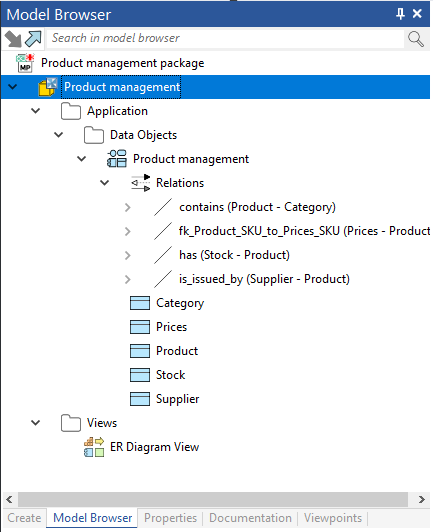
In the Model Browser, the following elements are available:
- Data Objects, corresponding to Hackolade Studio entities
- Relationships, corresponding to Hackolade Studio relationships
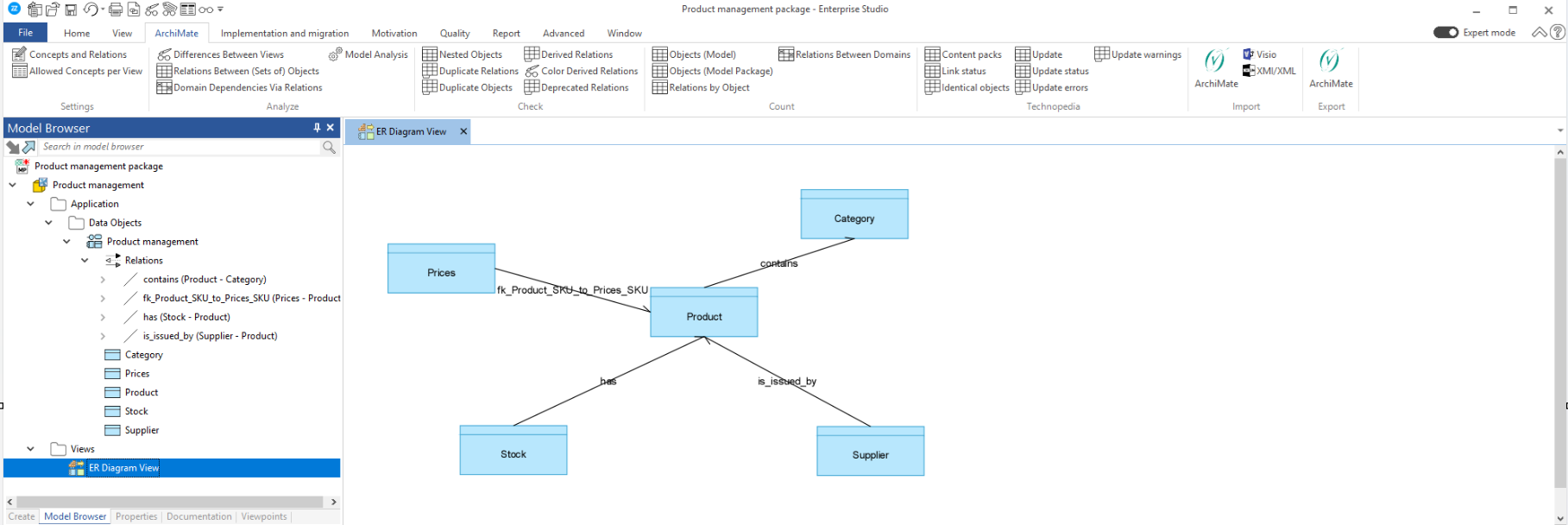
- Views, corresponding to the Hackolade Studio ER Diagram and ER Diagram Views
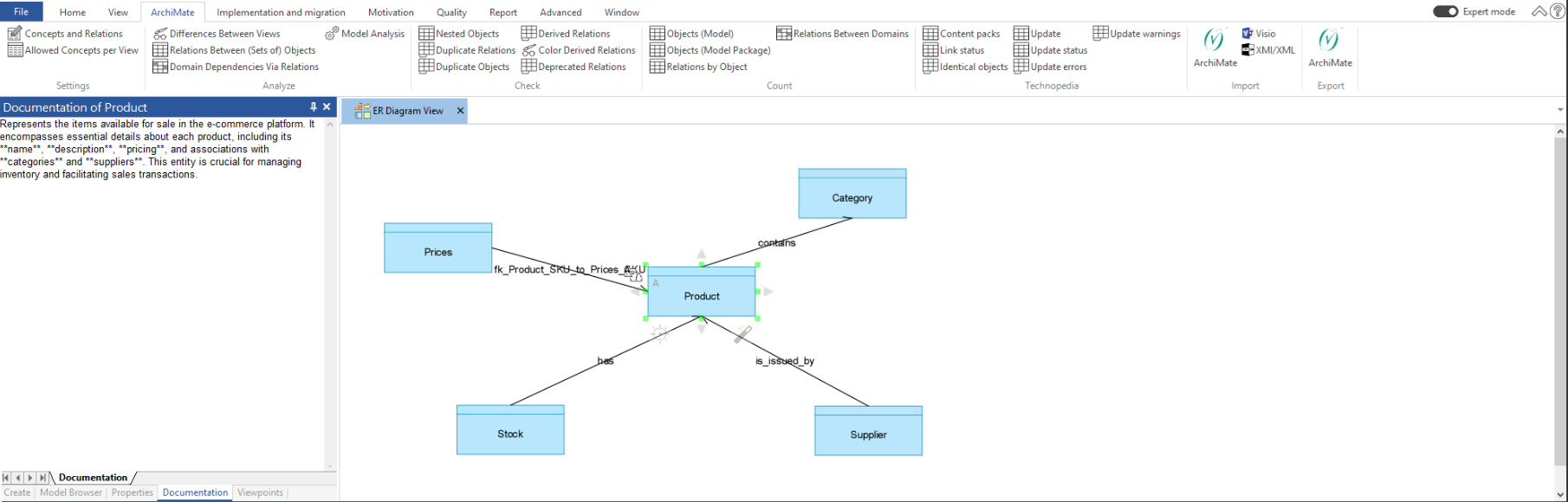
The generated diagram view provides a visual representation of the imported content:
Properties of any object can be consulted under the Properties tab:

Object descriptions can be found in the Documentation tab: