

Migrate advanced physical options
When reverse-engineering a PowerDesigner PDM file, Hackolade Studio imports most of the database structure, including tables, columns, views, and many physical properties. In most situations, this provides a solid base model that can be used directly. Some advanced physical options may not be fully imported. This situation can occur if some settings are not stored directly inside the PDM file, but are defined in PowerDesigner configuration rules or generation options. Examples: not null constraint names, or some partition information. As a result, the PDM alone does not always contain enough information to rebuild the exact physical definition.
To address this limitation, a practical workaround can be used to recover the missing physical options. It is also a good practice if there is a feeling that model is not 100% in sync with the reality in the database instance.
The approach consists of first creating 2 separate intermediary models:
- reverse-engineer the PDM file into a new physical model
- reverse-engineer -- into a separate physical model -- from the database instance, or from the DDL generated by PowerDesigner to recover the final physical options resolved by the generation rules.
The resulting 2 data models can then be merged so that the PDM-based model keeps its design information while being enriched with the additional physical details.
Steps to follow
-
In PowerDesigner, generate the DDL corresponding to the PDM to reverse-engineer
-
Create a first data model and reverse-engineer the PDM file
-
Create a second data model and reverse-engineer either from the database instance, or from the DDL generated from PowerDesigner
-
Use the Compare and Merge feature with:
- right model: the first model reverse-engineered from PDM
- left model: the second data model reverse-engineered either from the database instance or from the DDL
- matching criteria: on technical name
-
Switch to the "Merge" screen with the 3-pane display
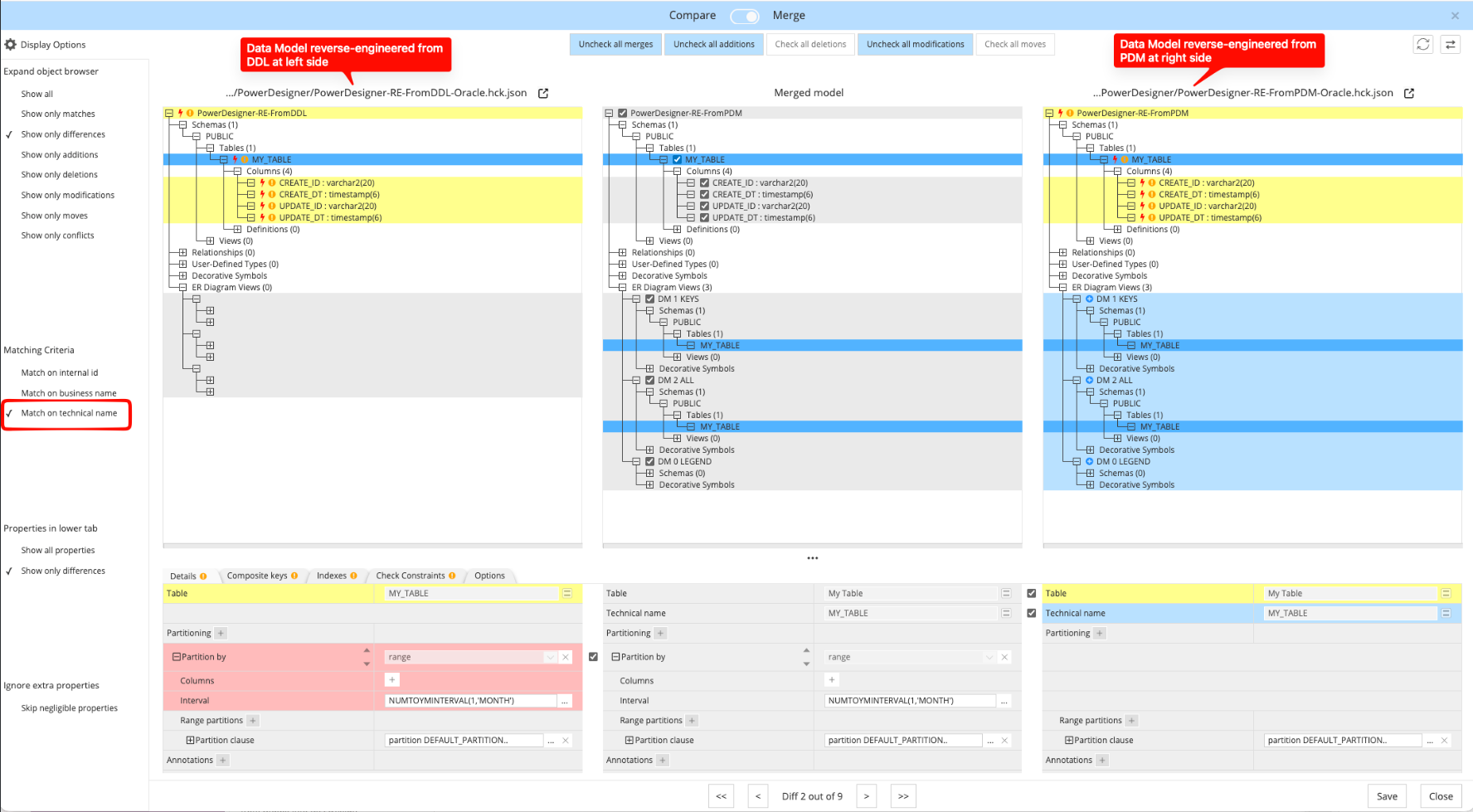
6. Save the resulting model which now contains your merged desired final result.
After the merge, the resulting model combines the strengths of both sources. The PDM import keeps the richest design information, while the instance/DDL import adds physical and technical details that may not be present in the PDM itself, especially when those details come from PowerDesigner generation rules or configuration settings.
The 2 intermediary models can be discarded or kept in archive, but they should no longer be necessary.