

Derive a Polyglot model with supertype groups
The previous page showed where to set the materialization strategy of a supertype group, and what each strategy means. This page covers the derive operation itself: the dialog, and how you choose which entities reach the target physical data model.
Derive dialog hint
When you derive from a Polyglot model with supertype groups, Hackolade Studio display a hint in the dialog:
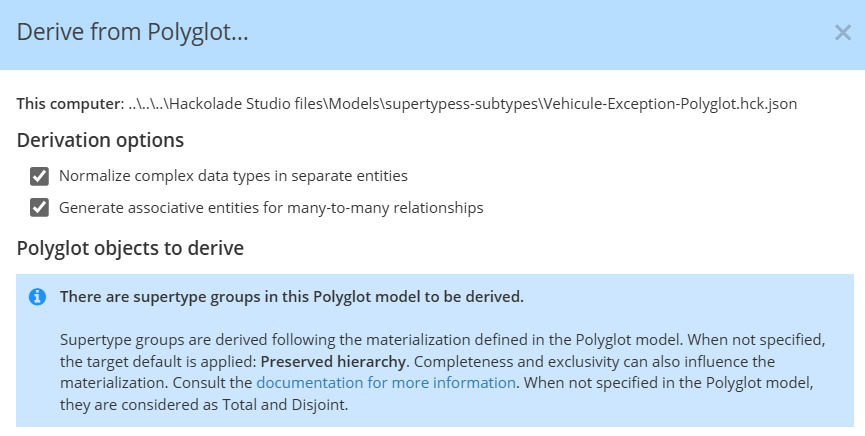
Each supertype group is materialized with the strategy defined in the Polyglot model. Completeness and exclusivity also influence the result; when not specified in the Polyglot model, groups are considered total and disjoint.
Fallback materialization
When a group has no Strategy in the Polyglot model, choose the shape with Fallback materialization (if not set in Polyglot). The drop-down is pre-selected with the default of the target, labeled (target default).
The drop-down offers the same four materialization choices as the group property:
- Preserved hierarchy
- Roll-up flattened with discriminator
- Roll-up nested
- Roll-down
You can leave Strategy empty in the Polyglot model on purpose and set materialization only when you derive. The same Polyglot model can then land in a different shape in each physical model.
Note: When you choose Roll-up flattened with discriminator here, you cannot define a discriminator name. You can add it in the derived model afterward if you need it.
Completeness and exclusivity still come from the Polyglot model. You cannot change them in the derive dialog.
Apply fallback to all supertype groups
Check Apply fallback to all supertype groups when a given physical model needs a different shape from the one recorded in the Polyglot model. Hackolade Studio then applies the selected fallback to every group, including those that already have a strategy.
Leave the checkbox cleared, and groups that already have a strategy keep it, including pair-level exceptions defined in the Polyglot model. Only groups without a strategy use the fallback.
Hackolade Studio remembers those choices for that derived model. When you later update the derived model from the Polyglot model, it applies the same fallback again, including to groups added since the first derivation. You cannot change that choice during update.
Select what to derive
Let's take the Vehicle supertype group, with Vehicle as its supertype and Car, Truck and Motorcycle as its subtypes. Car is itself the supertype of the Propulsion group, with Combustion car and Electric car as its subtypes.
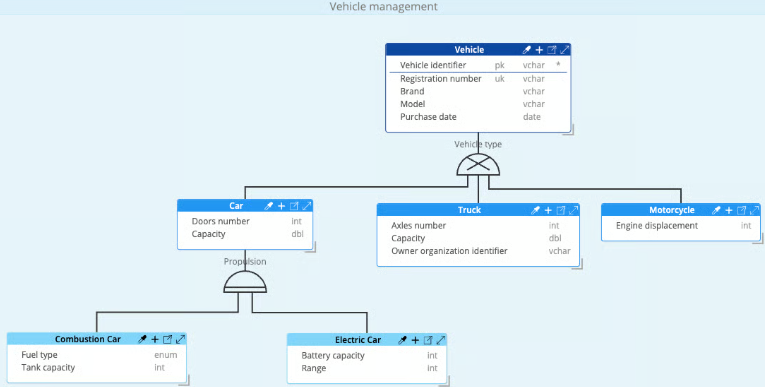
When you derive from Polyglot and select the parent Polyglot data model, you are presented with a selection dialog. Under Polyglot objects to derive, the tree lists the entities of the model, including subtypes shown under their supertype.
By default everything in the Polyglot model to derive from is pre-selected. And if you're happy with that, you can just click the Apply button.
It is only if you want to choose a subset of the Polyglot model that you should adjust the selection, typically using multi-select with the Shift or Ctrl/Cmd button plus selection with your mouse.
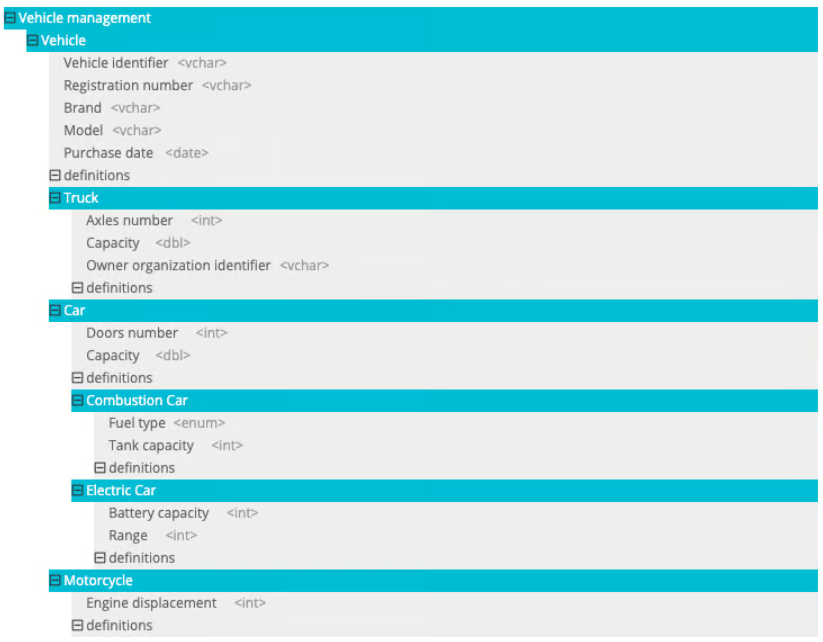
The physical model we want in this example serves one purpose: tracking the company vehicles assigned to employees. In our example those are cars, and the application does not care how they are powered. So Truck, Combustion car and Electric car are not needed.
Undesired subtypes in the derived model can be unselected via Ctrl/Cmd + click:
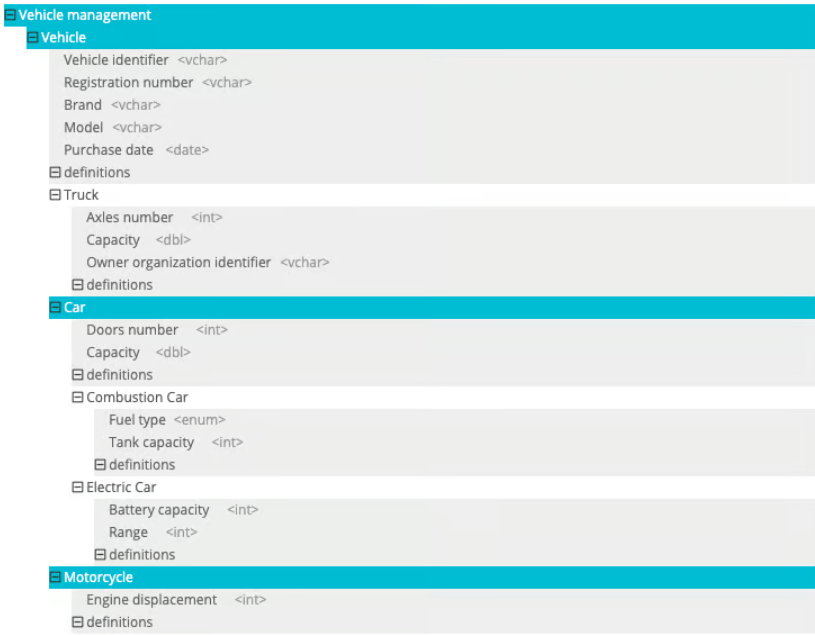
Note: subtypes in the dialog remain visible in the tree, even if the strategy of their group will not derive them as separate entities in the target. The tree lists all entities of the Polyglot model, no matter the strategy.
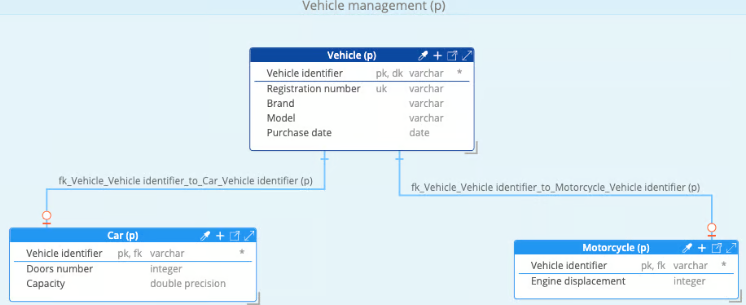
The resulting derived model will only contain tables for Vehicle, Motorcycle, and Car:
Polyglot only property
An entity marked Polyglot only never reaches a derived model. Inside a supertype group the property behaves like an entity left out of the selection.
Derive into another Polyglot model
Polyglot is a target like the other physical targets. When you derive a Polyglot model into another Polyglot model, then the groups are materialized following their strategy, exactly as they would be on a relational or a document-oriented target. The fallback in the derive dialog applies in the same way.