

GitLab webhook creation
Important GitLab concepts
Access tokens
To give the Model Hub access to fetch models from a GitLab repository, it is necessary to configure access using an access token.
GitLab provides multiple ways to obtain an access token:
-
Service accounts: given that this data integration is machine-to-machine, a service account is the preferred authentication method. GitLab service accounts are user accounts representing non-human entities, rather than individual people, which is the case with the Model Hub. A service account allows to authenticate with a personal access tokens. There are 2 types of service accounts:
- instance-wide service accounts: available to an entire GitLab instance, but must still be added to groups and projects like a human user. This is only available on GitLab Self-Managed and GitLab Dedicated.
- group service accounts: owned by a specific top-level group and can inherit membership to subgroups and projects like a human user
-
Group access tokens: Another good way to grant access to the Model Hub. Group access tokens grant access to all projects within a group, without being linked to a physical user
-
Personal access tokens: When there is no other choice, a personal access token is also a good solution, but being linked to a physical user, it means that only that user can configure the token and maintain it when it expires
Groups, subgroups, and projects
In GitLab, Groups, Subgroups, and Projects form a hierarchical structure for organizing code repositories and managing access control. This hierarchical model lets you organize projects logically, control access efficiently by assigning roles at group or subgroup levels, and manage large-scale developments across multiple teams or departments seamlessly.
Groups serve as the top-level containers that can hold multiple related projects and subgroups. They allow you to organize projects by teams, departments, or product lines. Groups help manage permissions and resources collectively, so users added to a group gain access to all projects within it.
Subgroups are nested inside a parent group and provide an additional layer of organization. They enable finer-grained structuring by grouping related projects or teams under specific subgroups. Permissions can be managed separately at subgroup levels, allowing different access controls within the hierarchy, and subgroups can be nested up to 20 levels deep.
Projects are individual containers within groups or subgroups that hold a single Git repository along with associated features like issue tracking, wikis, and CI/CD pipelines. Each project is a distinct unit of work with its own repository and settings.
Webhooks
Webhooks in GitLab are user-defined HTTP callbacks that send real-time notifications to external systems when specific events occur, such as code pushes or issue updates. They allow automation of workflows by triggering actions in other tools or services immediately after those events happen, without the need for continuous polling.
This is how the Hackolade Model Hub gets notified of the creation of a new model or change to an existing model in any folder of the default branch for your repository, or repositories.
Webhooks can be created for the different hierarchical levels within GitLab: group, subgroup, or project. So that you replicate to the Model Hub only the repositories that matter, it is important to create, in the steps below, webhooks(s) at the appropriate level.
You may create one webhook per project/repo. But then you MUST use the same webhook "Secret token" (not be confused with the access token) for each webhook of each project. Or, if you have multiple repos in a group or subgroup, and they are all to be replicated with the Model Hub, then you may issue a single webhook for that group or subgroup.
Create a GitLab access token
Create a Service Account
Go to the correct “Service accounts” settings page:
- For a top-level group: navigate to the group > Settings > Service accounts
- For the instance (self-managed instance): in the sidebar go to Admin > Settings > Service accounts
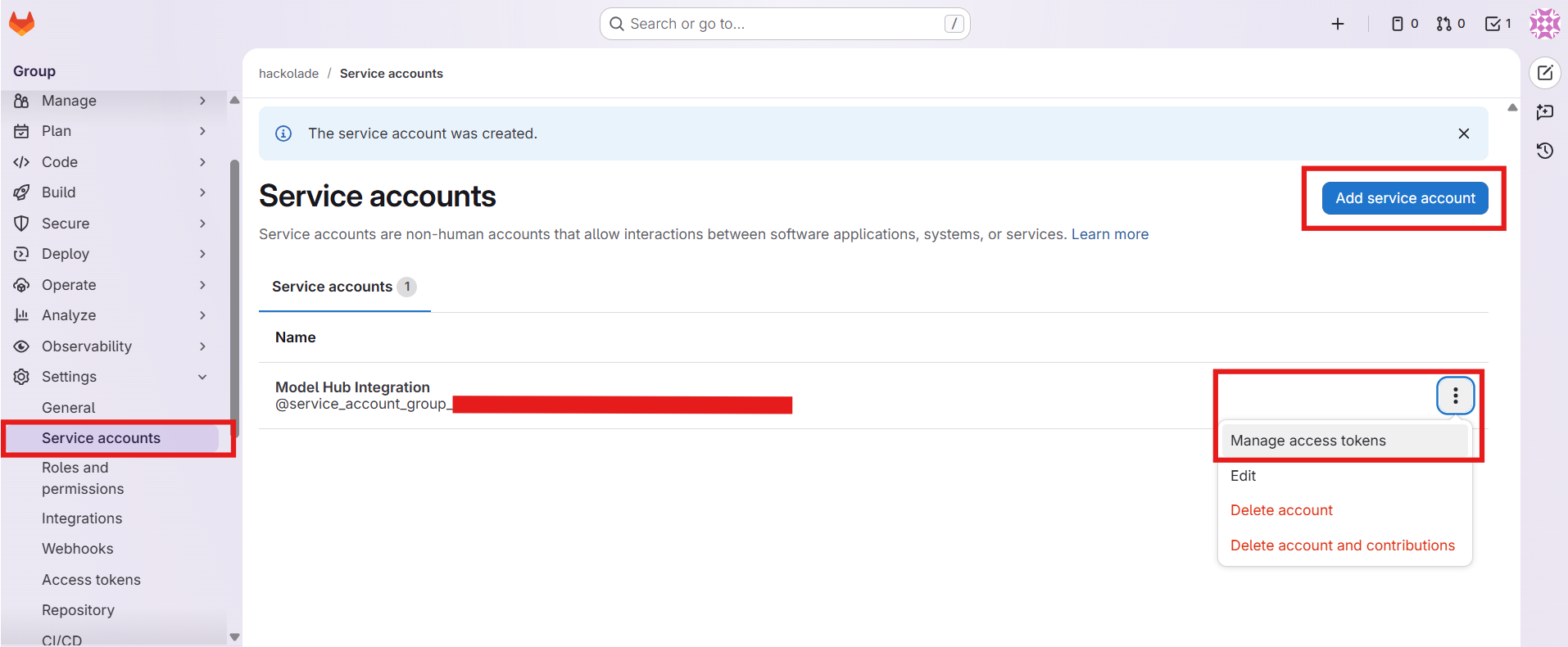
Create an access token for the service account
Click on the 3-dots for the menu, and choose Manage access tokens.
Then click on the button Add new token, then fill in the form with a Token name, a Description. You must choose an expiration date sufficiently in the future to not have to constantly create a new token, while still remaining in compliance with your security policies.
Then click the button Create token.
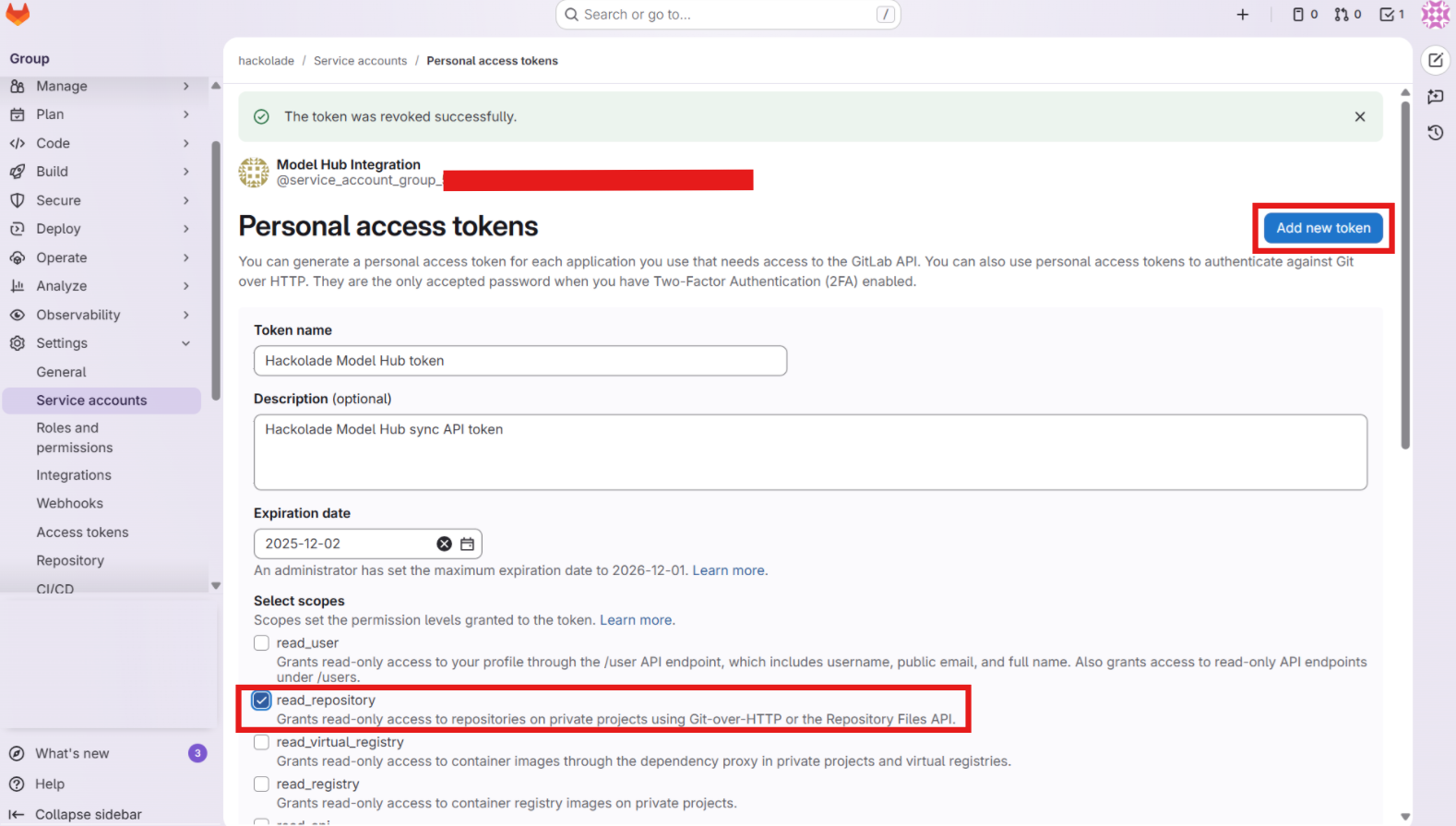
Make sure to copy and keep in a safe location the token value. This token is required in a later step.
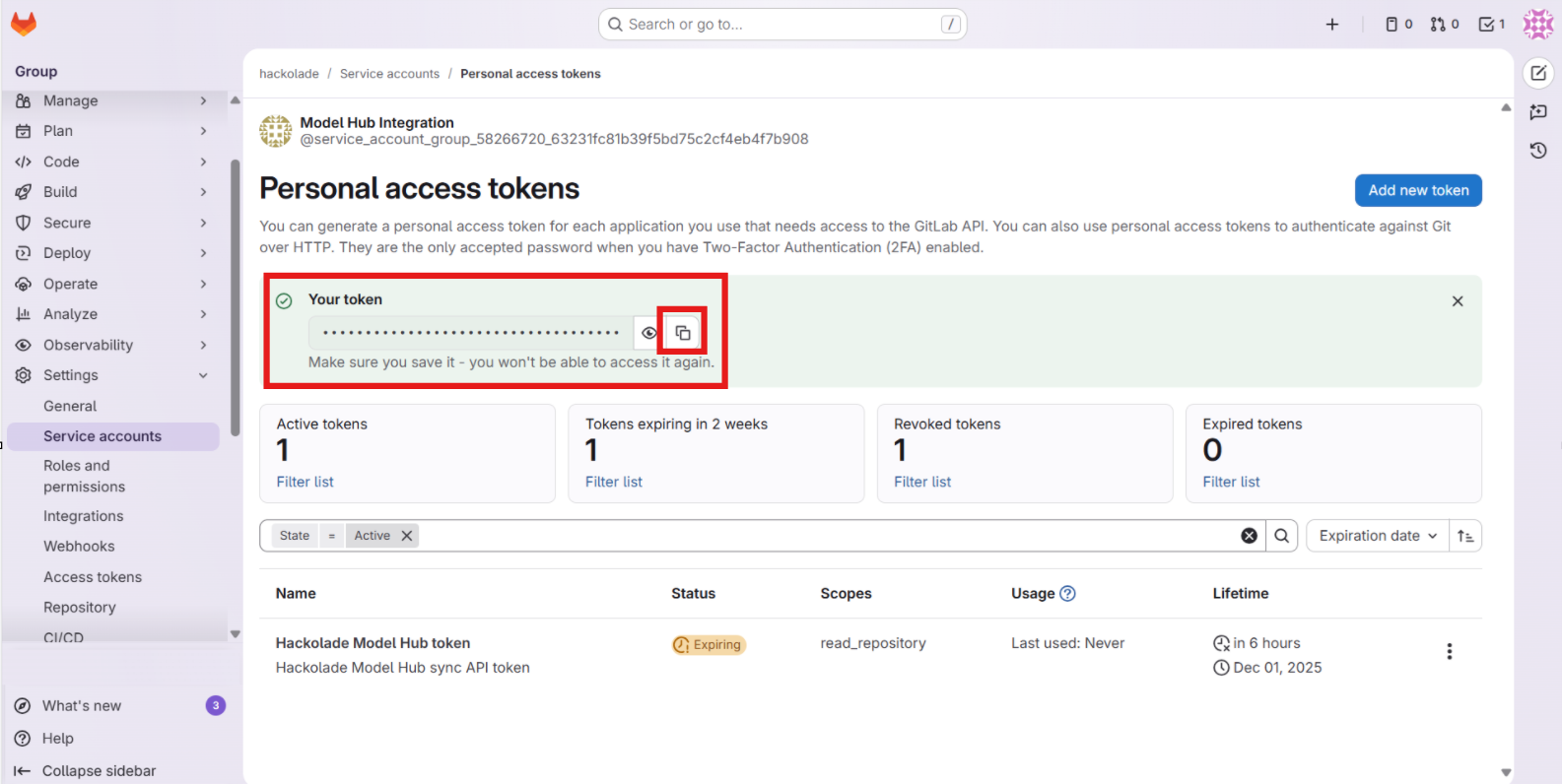
Grant access to the service account
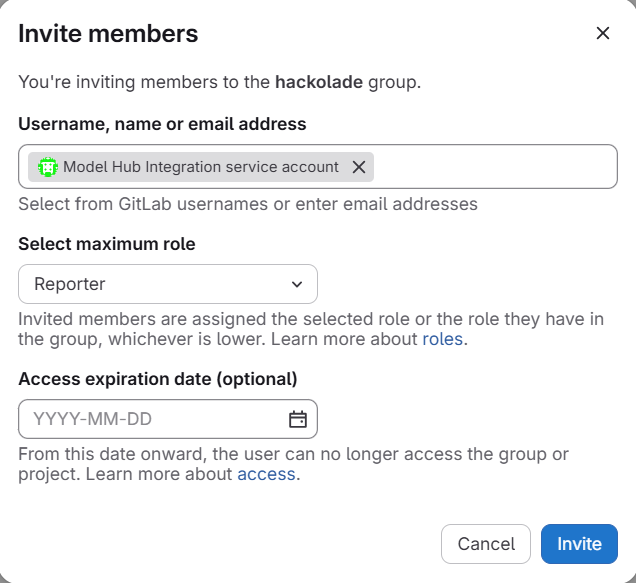
Next, you must invite, as a member, the service account, thereby granting it access, with the reporter role.
Go to Manage > Members and click the button Invite members:
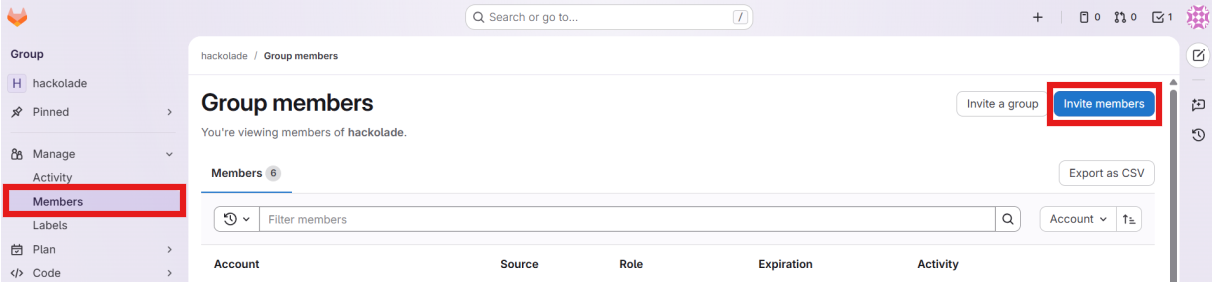
In the dialog, paste the name of the service account created above, select the role Reporter, and optionally set an expiration date, then click the invite button:
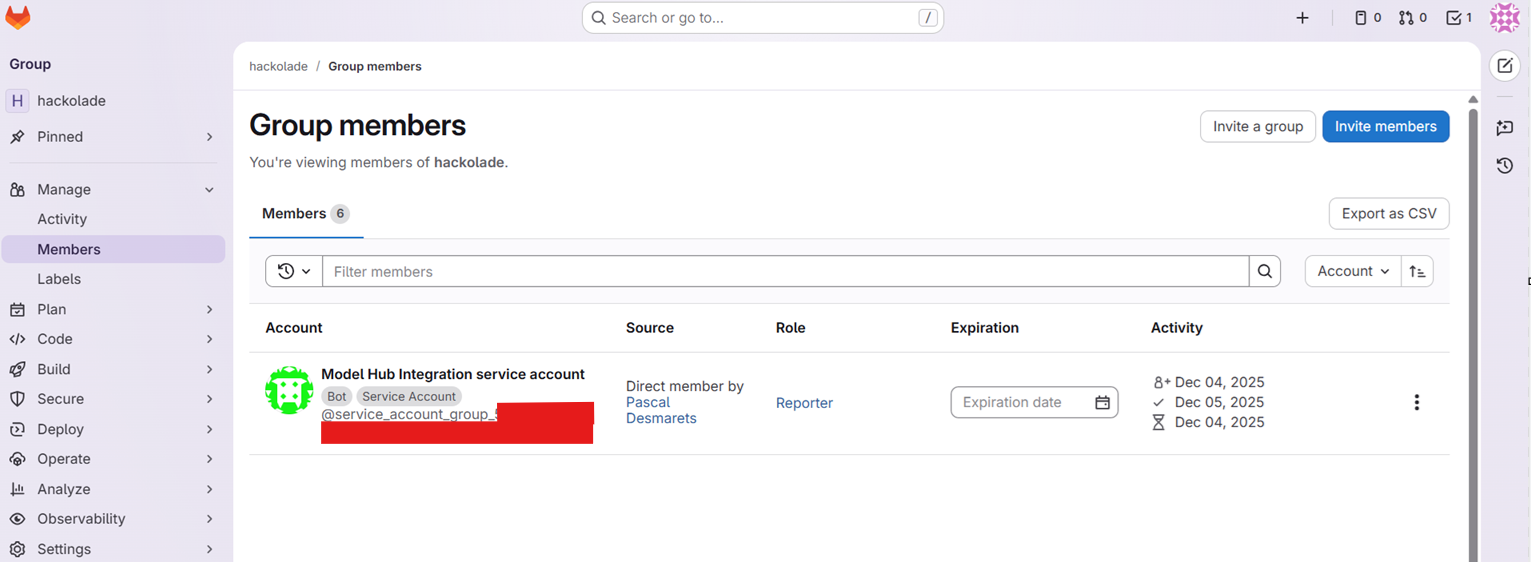
You should now be able to see the binding of the service account with your repository group, where the service account auto-accepted the invitation.
Create a GitLab webhook and webhook secret
See the discussion above, about groups, subgroups, and projects. And the discussion about webhooks. If you have only a single repository for which you need replication to the Model Hub database, then you should create the webhook at the project level. Even if you have multiple projects that should be replicated, but they are scattered across multiple groups or subgroups, then you may create one webhook per project, but you MUST use the same webhook secret token. Only of all the projects in a group or subgroup, should you create a single webhook for that group or subgroup.
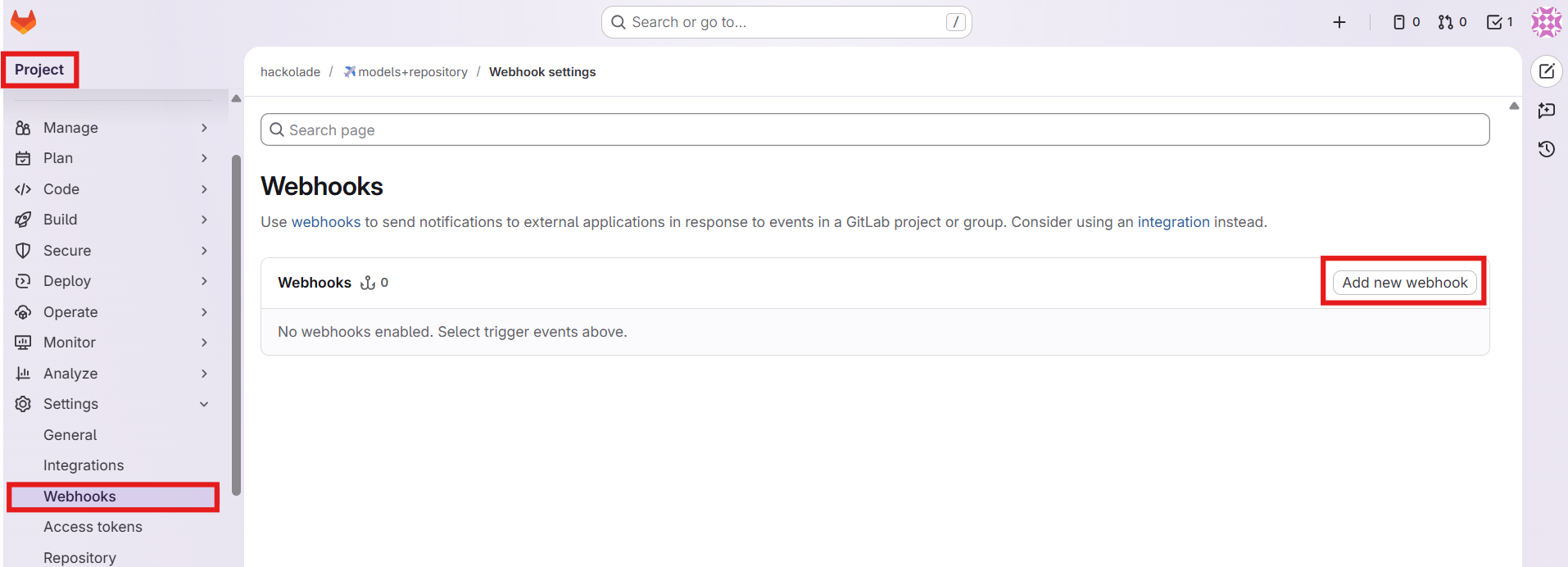
In the project page, go to Settings > Webhooks > Add new webhook
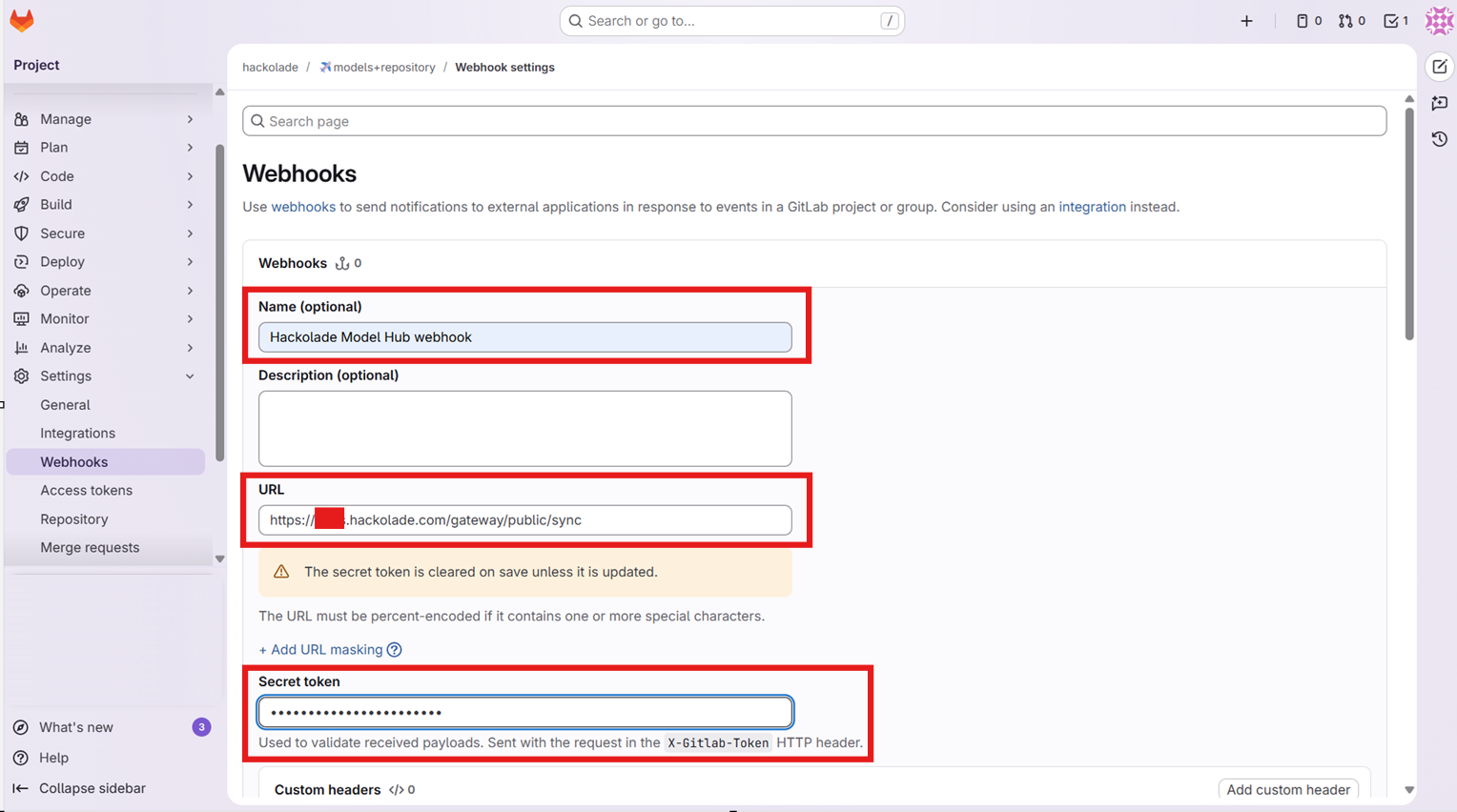
Fill in the form and provide:
- Name: give it a meaningful name, such as the Hackolade Model Hub environment name.
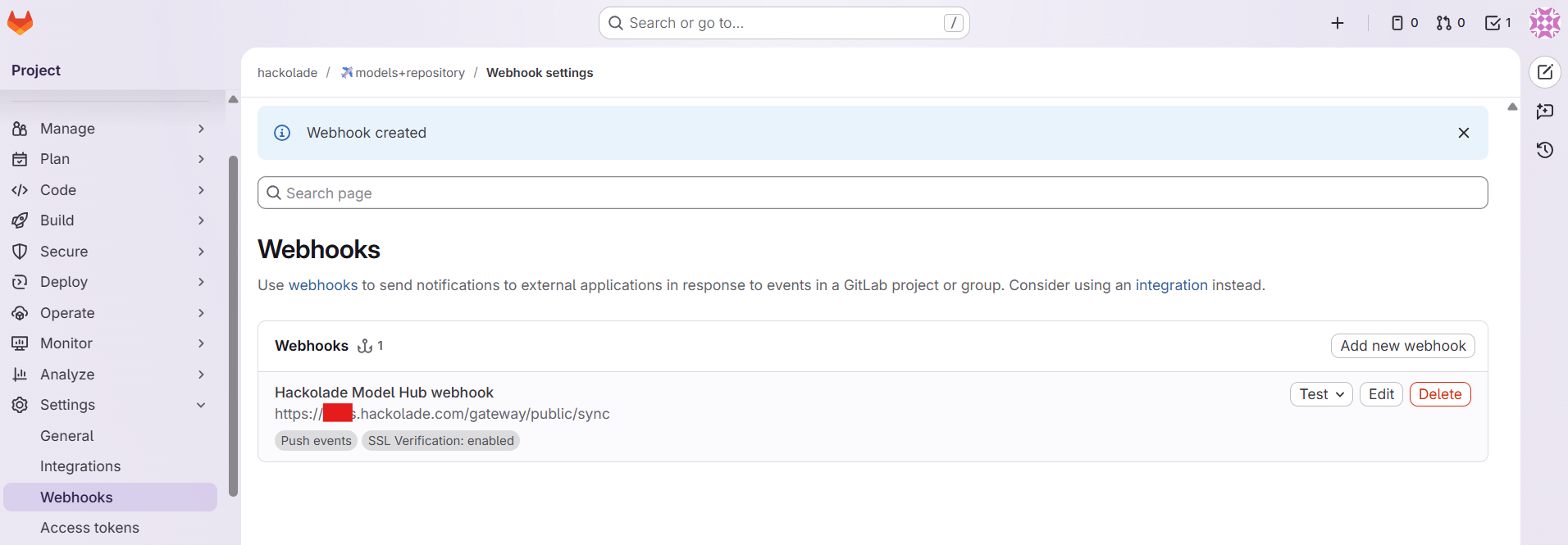
- URL: enter the /gateway/public/sync endpoint of your Hackolade Model Hub domain (eg: `https://<your company>.hackolade.com/gateway/public/sync`)
- Secret token: Use the webhook secret saved in the previous step
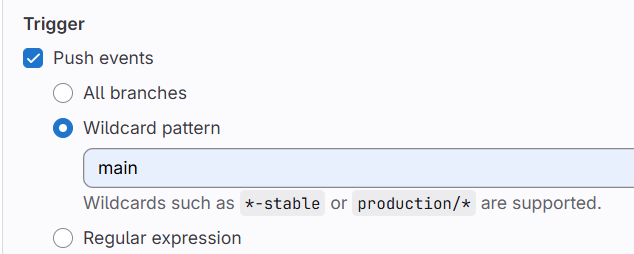
- Trigger: select Push events -> Wildcard pattern, and enter the name of the main branch
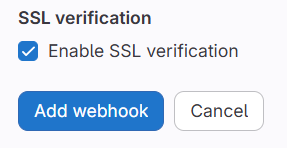
- SSL verification: keep checked Enable SSL verification
To ensure that only the default branch events trigger a replication to the Model Hub, make sure to select the wildcard pattern that matches the name of the default branch:
Keep the SSL verification enabled:
Then click the button Add webhook.
Create the Model Hub configuration
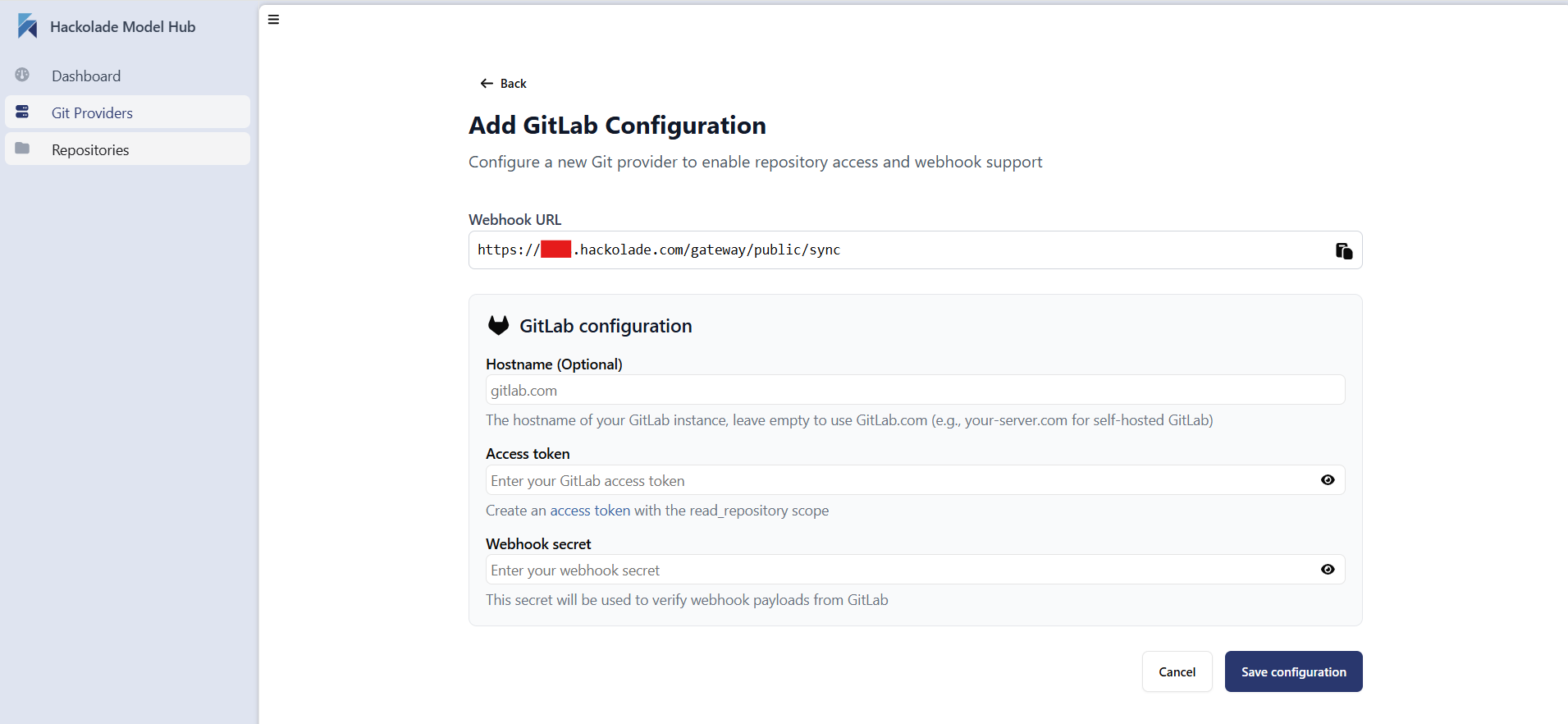
Once the previous steps are all completed, go to the the Git Providers tab of the admin panel, then click on the button + setup Git Provider, and select GitLab.
Webhook URL: enter the sync endpoint of your Hackolade Model Hub, and already used above. This typically follows the format: /gateway/public/sync endpoint of your Model Hub domain (e.g., https://<your organization>.hackolade.com/gateway/public/sync)
The hostname can stay empty when using the cloud version of GitLab (gitlab.com). If you have your own deployment, enter its hostname.
Use the Access token and Webhook secret token saved during the execution of the previous steps to configure the Model Hub.
Click on the button Add webhook.
Troubleshooting
To trigger a replication of all models without waiting for the first commit, you must go back to the GitLab webhook previously created, then click on the Test button, and select Push events.

To check the status of the webhook, click on the Edit button, then scroll to the Recent events section at the bottom of the screen.
If a failure has occurred, it appears. Click the View details button and send it to support@hackolade.com for troubleshooting.
